How to Access Your Shopify Store
To give your team secure access without using up limited staff accounts, we use free Shopify Partner accounts. Follow this simple guide to get connected!
Create a Free Partner Account
First, you will need a free Shopify Partners account. Click the button below, fill in your business details, and make sure to verify your email address. (If you already have a Partner account, you can skip this step!)
Log Into Your Dashboard
Once your account is set up and your email is verified, log in using the button below. You will be taken to your main Shopify Partners dashboard.
Request Store Access
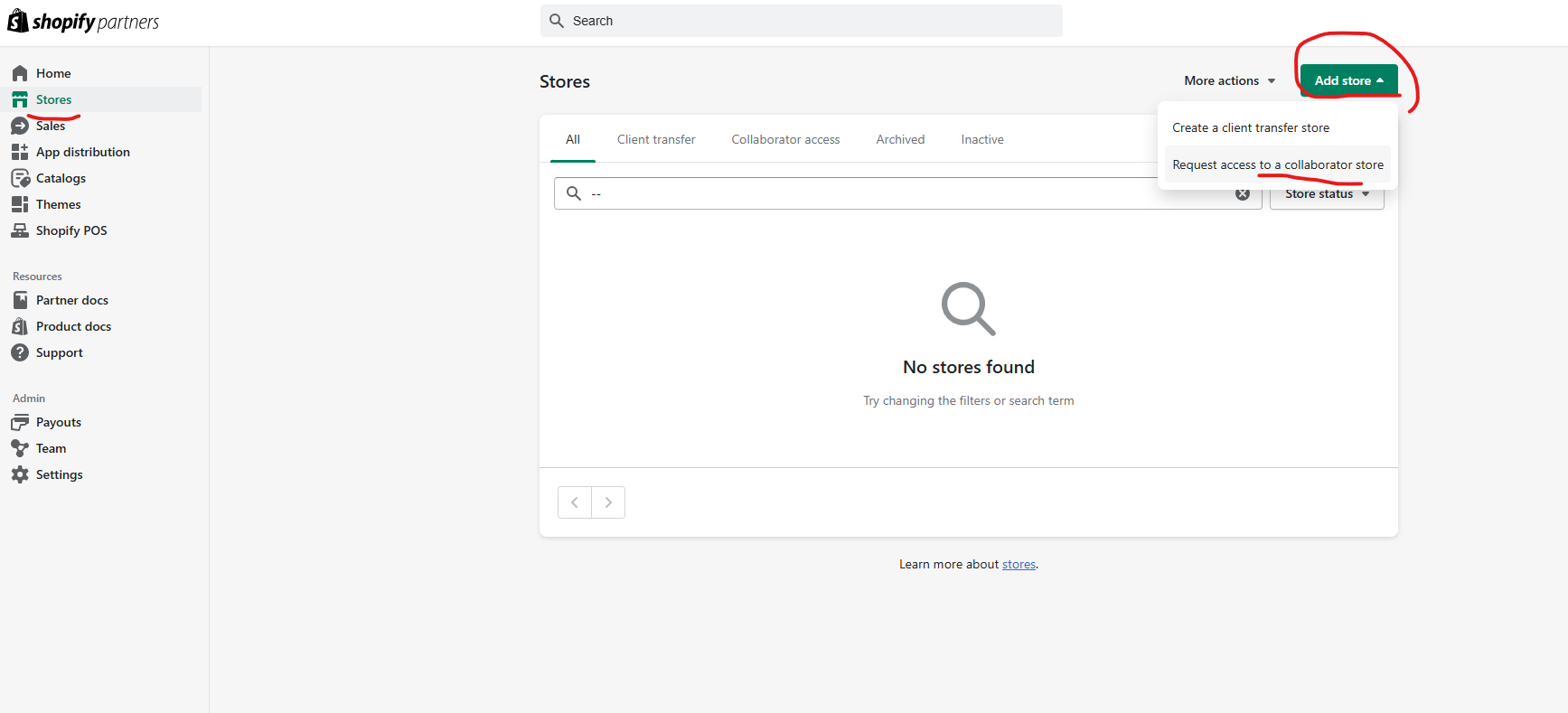
Look at the menu on the left side of your screen. Click on Stores, then click the Add store button in the top right corner, and finally select Request access to store.
Enter the Store Address
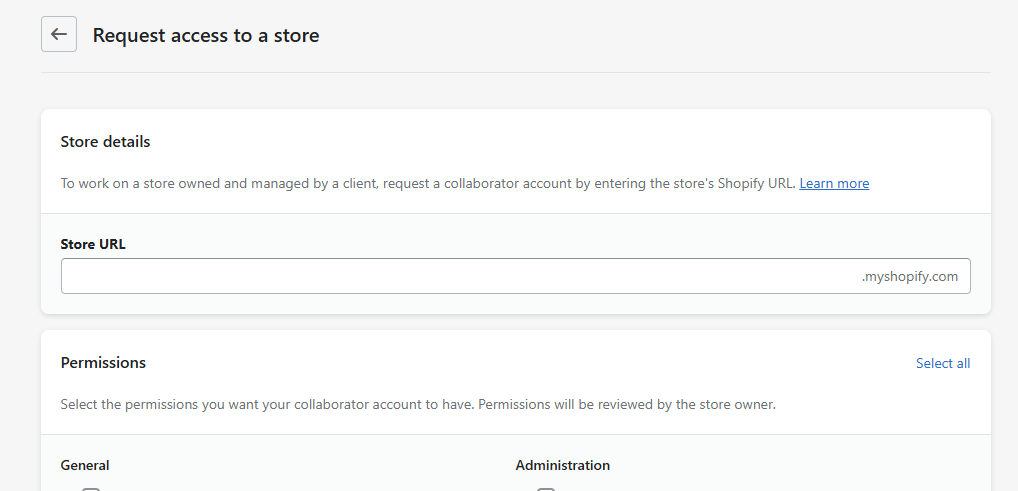
You will be asked for a store URL. Please type in the exact store name shown in the grey box below. Please email your account manager if you haven't received it yet.
Submit Permissions
Next, enter your 4-digit Collaborator Request Code. When asked about permissions, simply tick all permissions that you require. Don't worry - we will securely adjust these on our end when we approve your request!
Add Your Team (Optional)
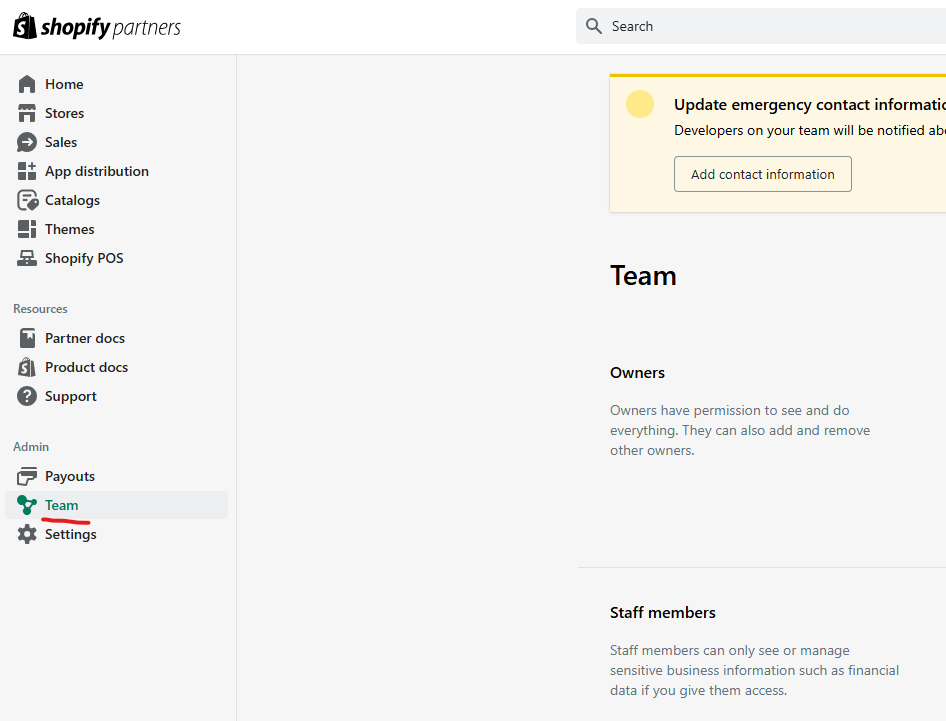
Once we approve your request, you're in! If you have other team members who need access to the store, you can invite them right from your own dashboard. Just click on Team on the left-hand menu.